mortred_model_server
Tutorials Of Classification Model Server
Start A Classification Server
It’s very quick to start a classification server. Main code are showed below
Classification Server Code Snappit
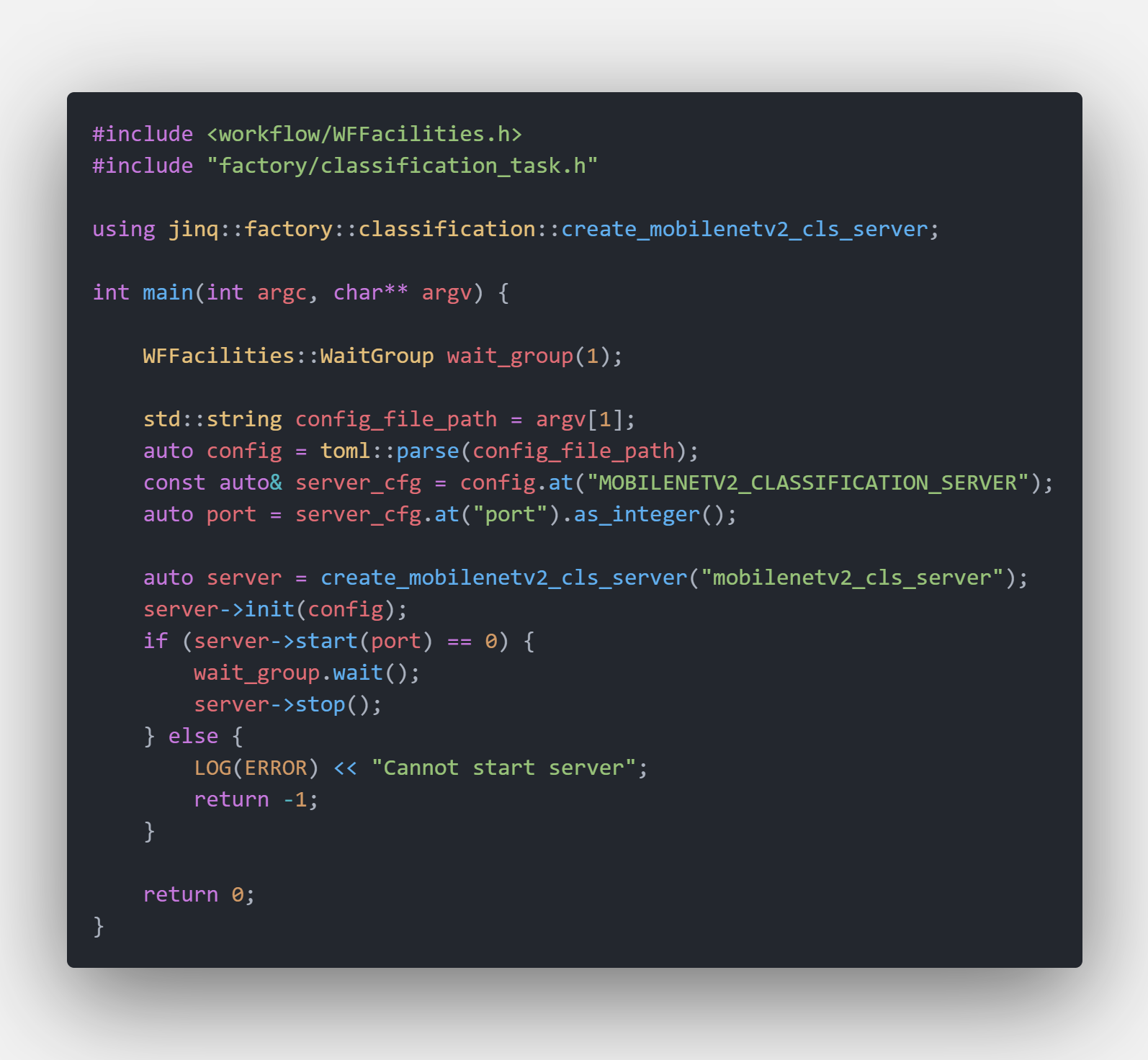
The unified server binary is $PROJECT_ROOT/_bin/mortred-model-server.out. Simply run
cd $PROJECT_ROOT/_bin
./mortred-model-server.out --model MOBILENETV2 ../conf/server/classification/mobilenetv2/mobilenetv2_server_config.toml
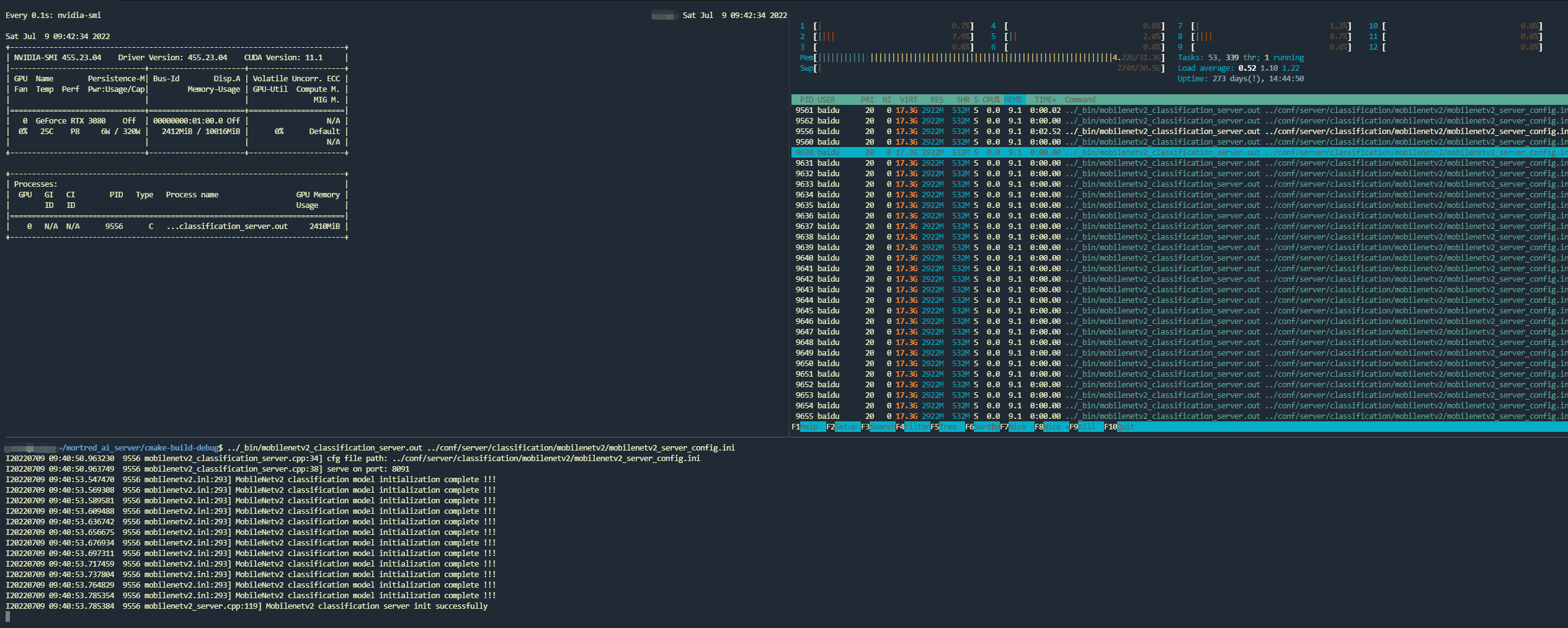
When the server starts successfully at the port configured in your server config (conf/server/<task>/<model>/*.toml), worker_nums workers will be spawned and occupy your GPU resources. The shipped configs default to worker_nums=1; you may enlarge it if you have enough GPU memory.
Classification Server Ready to Serve
Python Client Example
You may find a demo python client at test_server.py. Sequential smoke tests and closed-loop load both use the Python standard library (no locust, no requests).
Classification Client Code Snappit
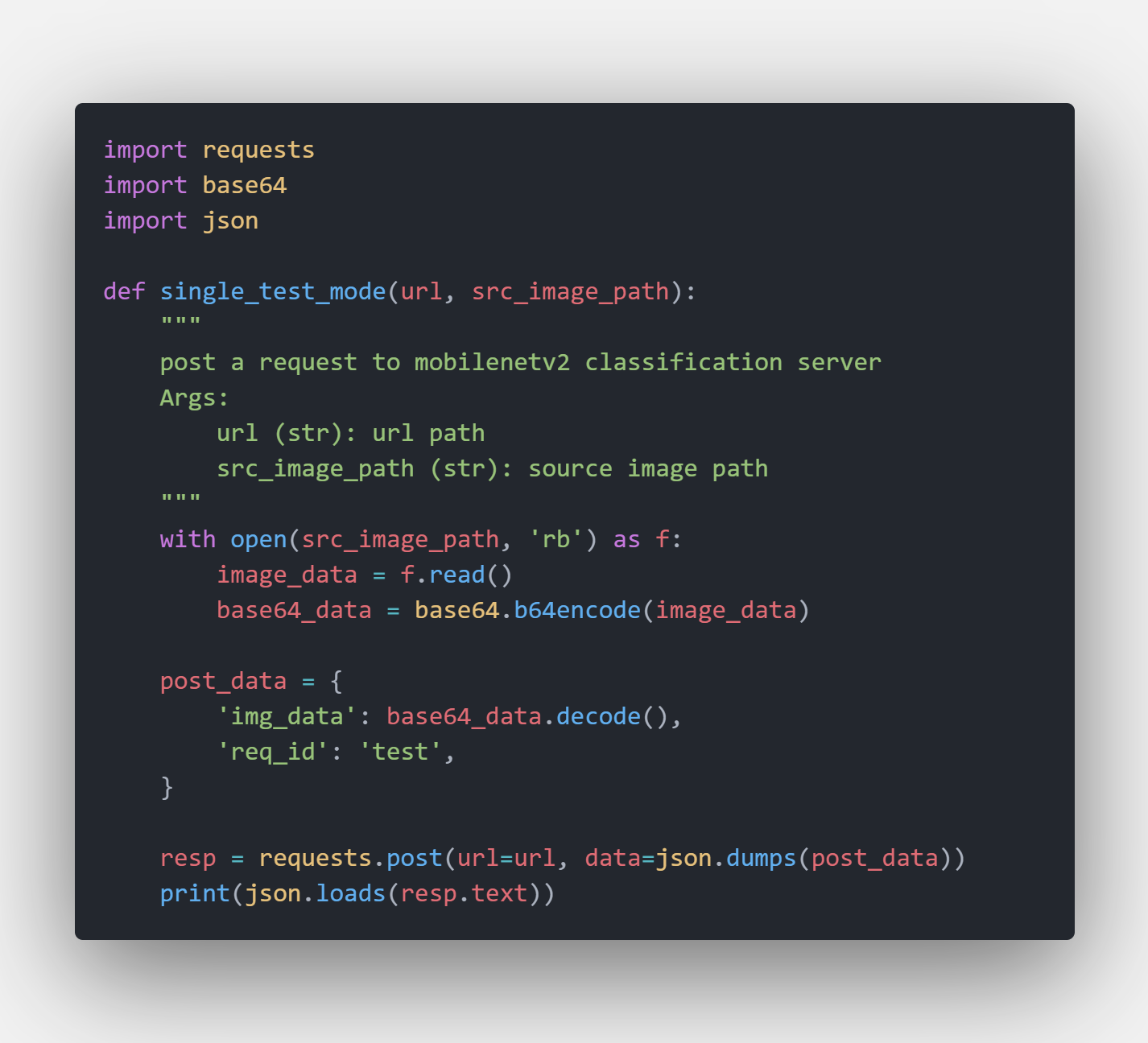
Server’s url can be found in server configuration. For a detailed server configuration refer to about_model_server_configuration
To use the demo client:
cd $PROJECT_ROOT
python3 scripts/server/test_server.py --server mobilenetv2 --mode single --times 3
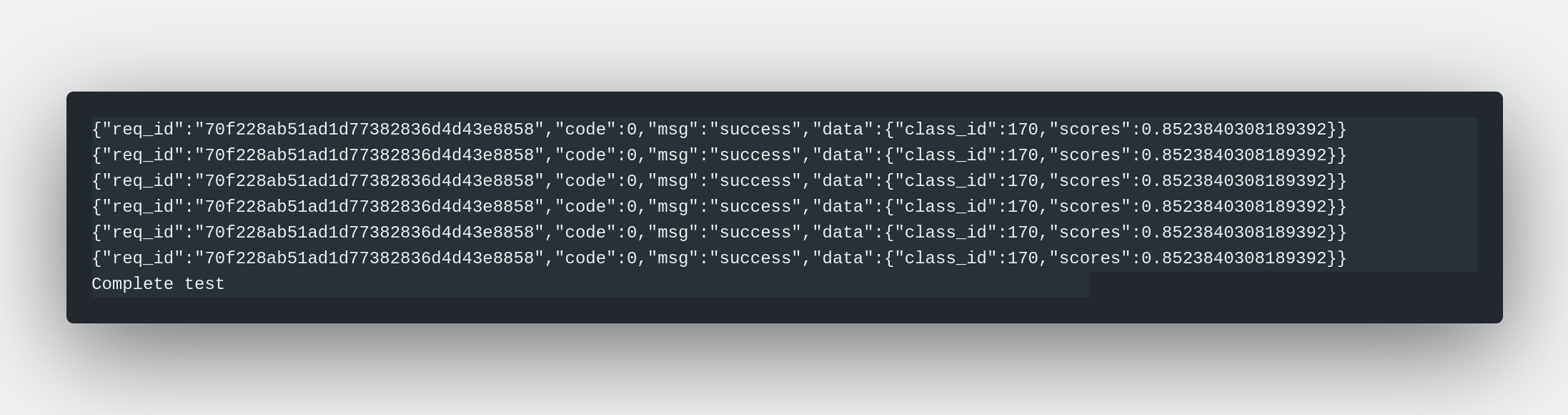
The client posts the default test image and prints the HTTP status plus a truncated UnifiedResponse body. Class id and scores are in results[].data:

{
  "status": 0,
  "status_str": "OK",
  "task_id": "demo",
  "results": [
    {
      "status": 0,
      "data": {
        "class_id": 281,
        "category": "tabby",
        "scores": [0.01, 0.02]
      }
    }
  ],
  "partial": false
}
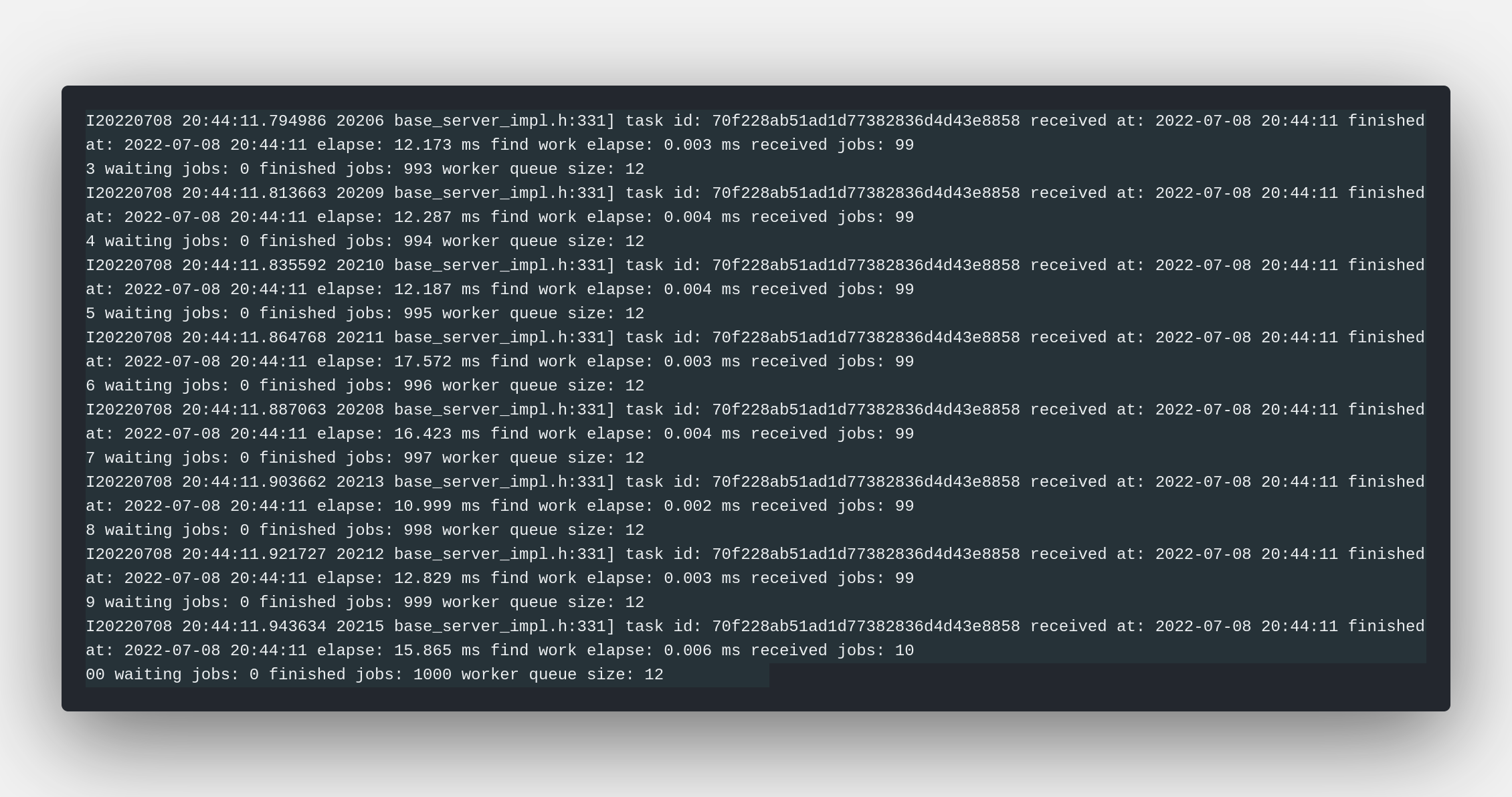
The screenshots below are historical (pre-unified envelope). Use the JSON
above and test_server.py output, not the PNG, as the current contract.
historical mobilenetv2 classification server output
historical mobilenetv2 client output
Description Of Python Client
test_server.py reads host / port / server_uri from conf/server/, so the target URL matches the running server. HTTP serving RPS is measured by http_infer_rps.py (not in-process FPS): N keep-alive threads, one pre-encoded JSON envelope, unique req_id per request, and a report with RPS plus latency percentiles.
# list all discoverable model servers
python3 scripts/server/test_server.py --list

# single mode: print a few sequential responses
python3 scripts/server/test_server.py --server mobilenetv2 --mode single --times 3

# closed-loop load (stdlib; no locust)
python3 scripts/server/test_server.py --server mobilenetv2 --mode load \
    --concurrency 8 --duration 30s

# same load through the gateway catalog path
python3 scripts/server/test_server.py --server MOBILENETV2 --mode load \
    --gateway --token "$MORTRED_GATEWAY_AUTH_TOKEN" --concurrency 8 --duration 30s

# or call the load client with an explicit URL
python3 scripts/server/http_infer_rps.py --url http://127.0.0.1:9003/mobilenetv2cls \
    --image demo_data/model_test_input/classification/ILSVRC2012_val_00000003.JPEG \
    --concurrency 8 --duration 30s --out /tmp/load.json
–server: the server section name, catalog id, or a unique prefix, e.g. mobilenetv2, MOBILENETV2
–mode: single prints --times sequential responses; load runs the closed-loop client
–image: override the demo input image (a per-model default under demo_data/model_test_input is used otherwise)
–dry-run: print the request plan without sending anything
–concurrency / –duration / –requests: load-mode worker count and stop condition (30s, 2m, or a fixed request count)
–gateway: POST http://127.0.0.1:8080/v1/models/{id}/infer instead of the model’s loopback port
--self-test on http_infer_rps.py spins an in-process HTTP server and checks that 40 concurrent requests all succeed.
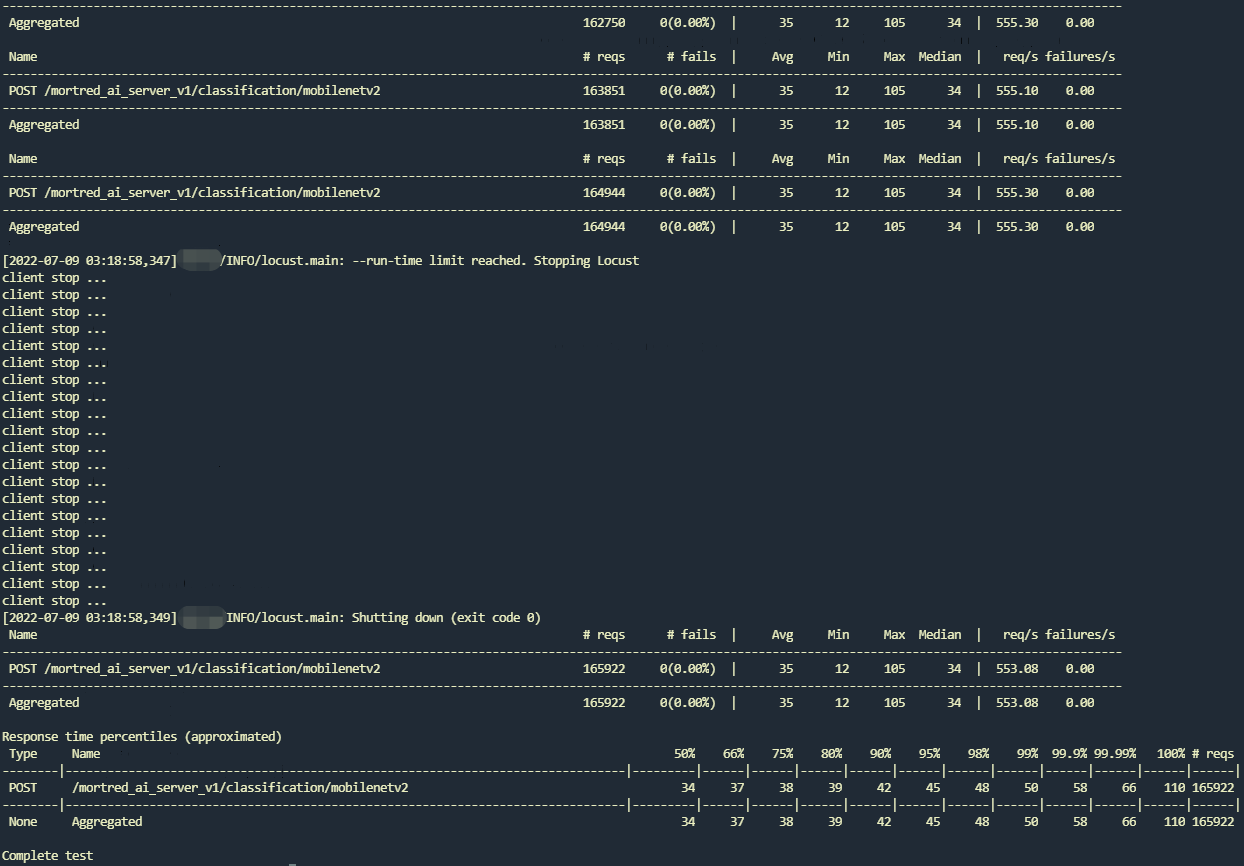
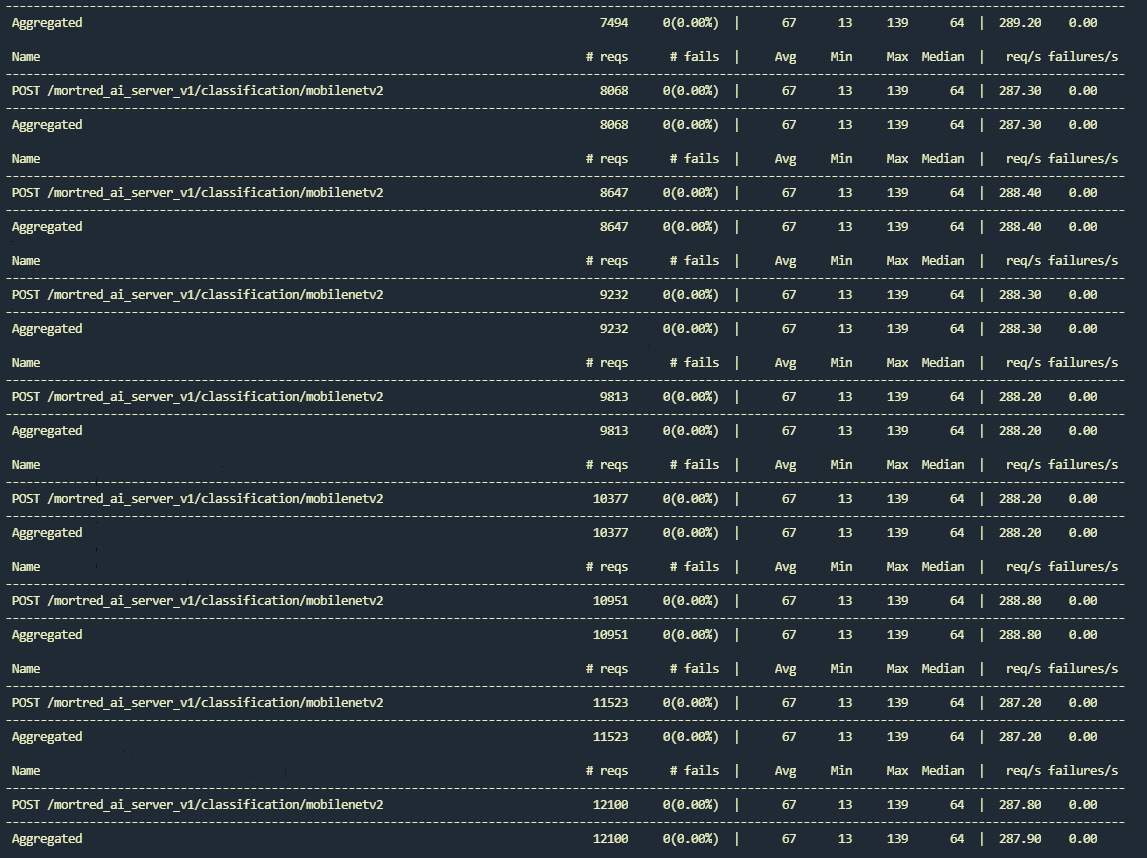
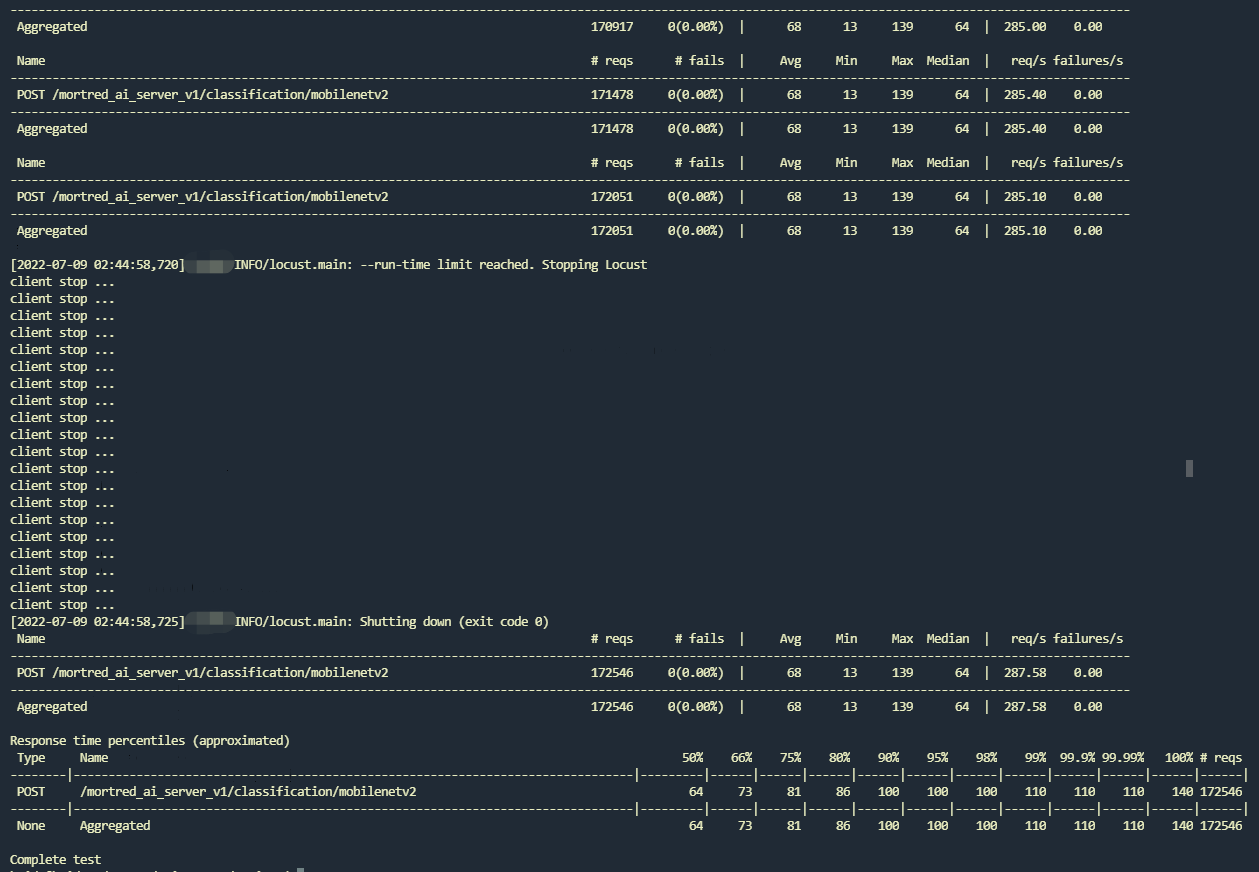
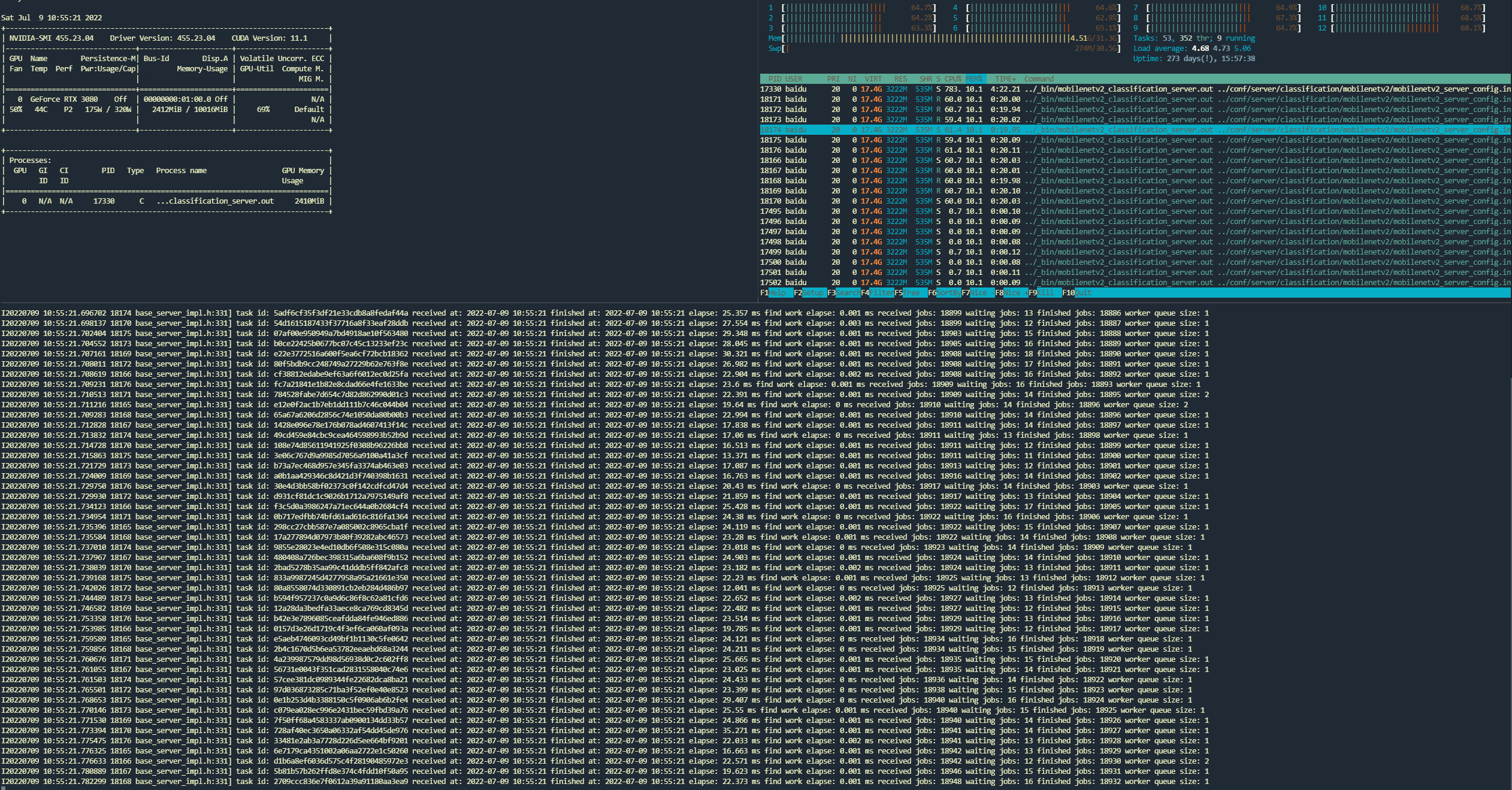
The screenshots below are from an older locust run with worker_nums=4 then 12. The qualitative lesson is unchanged: HTTP RPS tracks worker_nums until GPU/queue saturation; raising workers past that point does not raise RPS. Re-measure with --mode load on your GPU.
historical client output under load
historical server output under load
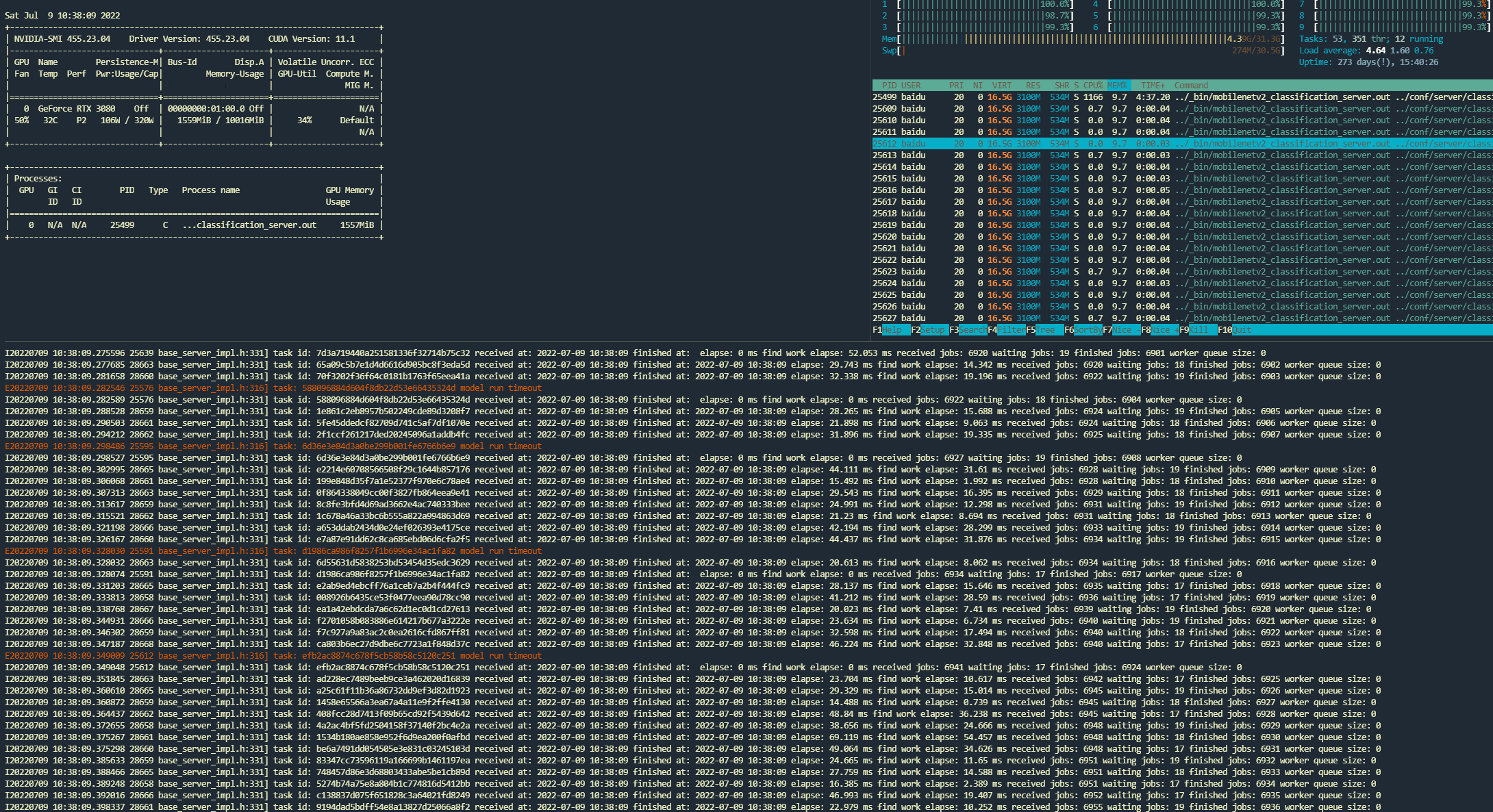
With worker_nums=4 the old run sat around 288 req/s, GPU utilization was low, some tasks timed out, and the worker queue stayed empty. Raising worker_nums is the first lever when the queue is idle.
Enlarging workers from 4 to 12 filled the queue, raised GPU utilization, cut average latency, and roughly doubled RPS toward the in-process benchmark.
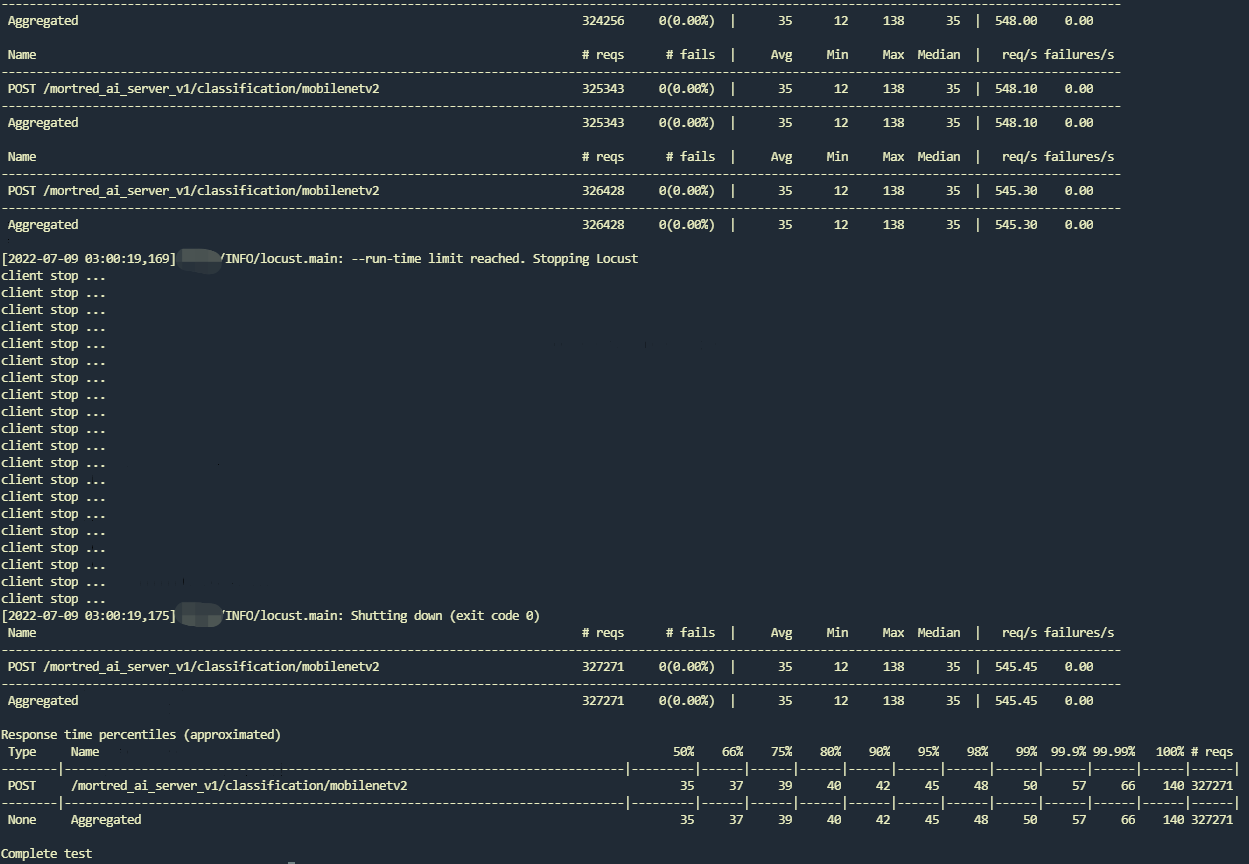
Do not expect unlimited RPS from more workers. At 24 workers that run’s RPS stayed flat.